
Signing In With Token
This authentication flow is used when embedding WorkBright within another application through an iframe, allowing users to be automatically authenticated and the iframe to load without requiring a separate login.
WorkBright provides separate authentication endpoints for administrators and employees to ensure the correct session management method is used for each experience.
Authentication Endpoints
| User Type | Endpoint | Session Tracking |
|---|---|---|
| Administrator | /sign_in_with_token | Browser cookies |
| Employee | /embedded/new_sign_in | HTTP headers |
Generating an Access Token
Before signing a user in, generate a temporary access token using the appropriate token endpoint for the user type.
The access token is then appended to the sign-in URL as a query parameter:
?token={access_token}Access tokens should be treated as temporary credentials and generated immediately before use. If an access token is not used within 30 minutes of being generated, it will be invalidated. After it is used to sign in, the access token is also invalidated and cannot be used again.
Administrator Authentication
Administrators should continue using the original sign-in endpoint.
Example
https://{subdomain}.workbright.com/sign_in_with_token?token={access_token}Session Behavior
This endpoint uses third-party browser cookies to maintain the authenticated session.
Browser Compatibility
Some browsers, particularly Safari, may block third-party cookies by default. When this occurs, embedded administrator sessions may not persist correctly.
Administrators should always use
/sign_in_with_token.
Administrator Redirect Behavior
For administrator sessions authenticated via /sign_in_with_token, navigation within the embedded WorkBright frame is handled using standard JavaScript rather than the postMessage API. Any post-authentication routing should be performed directly within the embedded session.
Employee Authentication
Employees should use the newer employee-specific endpoint.
Example
https://{subdomain}.workbright.com/embedded/new_sign_in?token={access_token}Session Behavior
This endpoint uses HTTP headers instead of browser cookies to maintain the authenticated session.
Because it does not rely on third-party cookies, it works consistently across browsers.
/embedded/new_sign_inshould only be used for employee authentication.
Administrators are not supported on this endpoint.
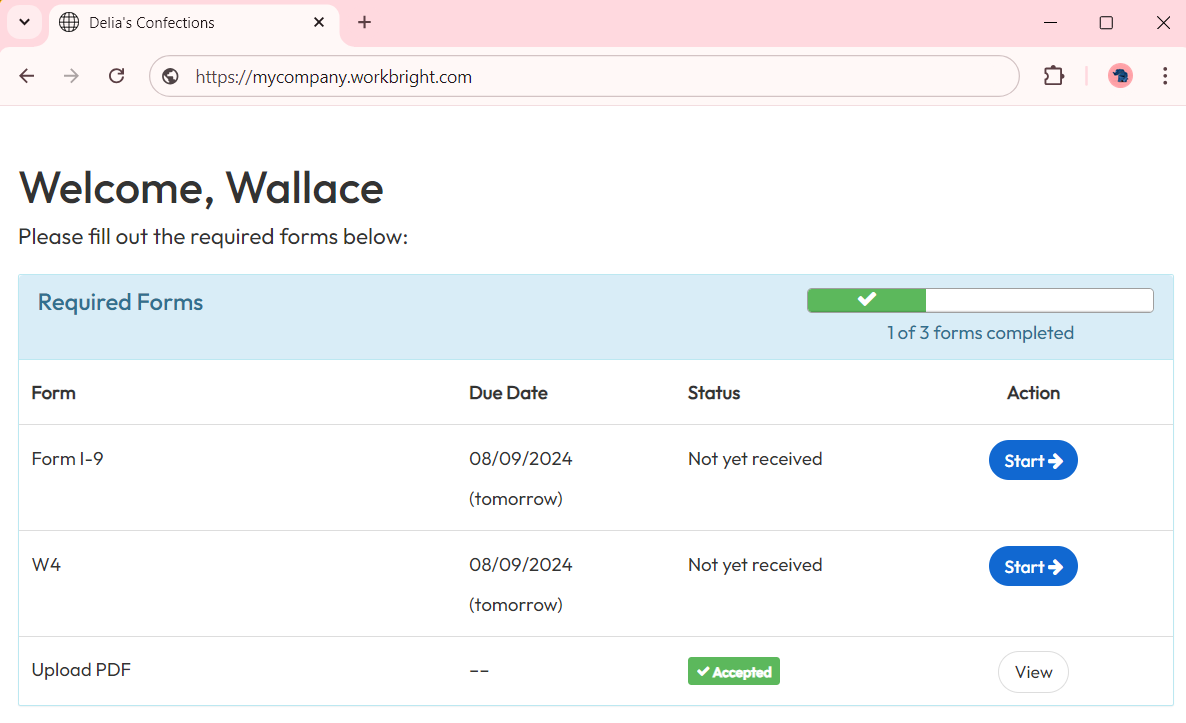
Successful Redirect
Redirecting After Employee Authentication
After an employee has been authenticated using /embedded/new_sign_in, your application can navigate the embedded WorkBright session by sending a postMessage event to the WorkBright child window.
Message Format
Send the following payload to the embedded window as a postMessage API:
{
  message_key: "load.page",
  message_data: {
    href: "/forms/i9/submission/new"
  }
}
Example
const iframe = document.getElementsByClassName("embedded-iframe")[0];
iframe.contentWindow.postMessage(
  {
    message_key: "load.page",
    message_data: {
      href: "/forms/i9/submission/new"
    }
  },
  "*"
);
Redirect Paths
The href value should be a relative WorkBright path.
Example:
/forms/i9/submission/newThe requested page will load inside the existing authenticated employee session.
Recommended Usage
Use the appropriate endpoint based on the user type.
if (userType === "employee") {
  signInUrl = `/embedded/new_sign_in?token=${token}`;
} else {
  signInUrl = `/sign_in_with_token?token=${token}`;
}