
Recommended Notifications
Embedded Mode: Staff Notifications and Recommended Cadence
Overview
When using WorkBright in Embedded Mode, WorkBright does not send email or SMS notifications to staff. The embedded experience is designed to be fully controlled and branded by your platform.
You are responsible for implementing your own notification system.
This page outlines WorkBright’s recommended notification types and cadence, based on WorkBright’s standard platform behavior. Following these recommendations helps maximize completion rates and maintain compliance.
Table of Contents
Single Notifications
Single notifications are triggered once per event.
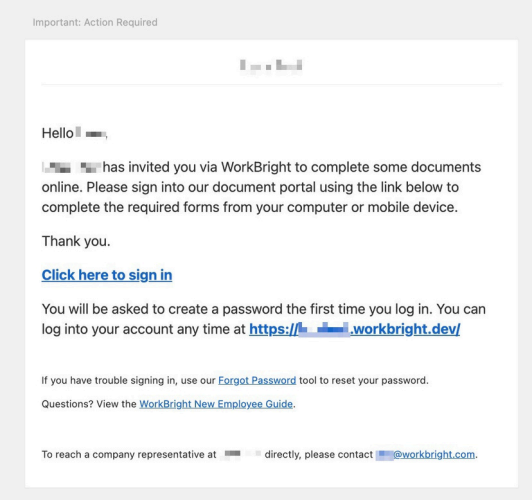
Welcome Notification
Trigger: Staff profile created and Notification Start Date reached.
Recommended Timing:
- Immediately when Notification Start Date is today
- Immediately on Notification Start Date if set in the future
Purpose:
- Provide access to onboarding
- Prompt staff to begin completing forms
Example:
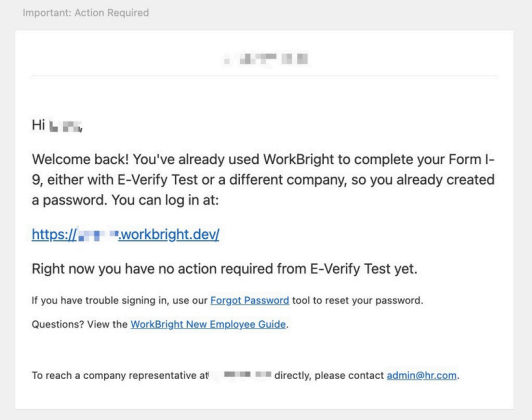
Welcome Back Notification
Trigger: Staff reactivated or onboarding restarted.
Recommended Timing:
- Immediately when Notification Start Date is today
- Immediately on Notification Start Date if set in the future
Purpose:
- Prompt staff to resume onboarding
Example:
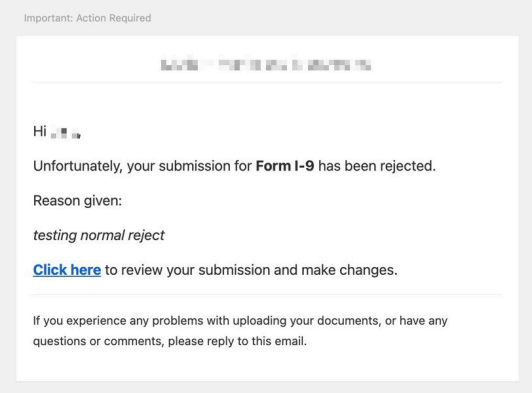
Form Rejection Notification
Trigger: Admin rejects a submitted form.
Recommended Timing:
- Immediately upon rejection
Recommended Contents:
- Reason for rejection
- Link to onboarding dashboard
- Instructions to resubmit
Example:
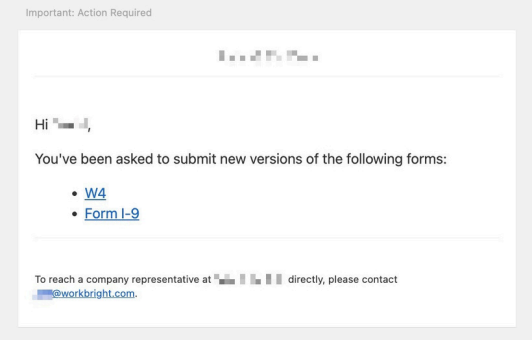
Form Resubmission Notification
Trigger: Admin requests resubmission of one or more forms.
Recommended Timing:
- Delay ~15 minutes to allow aggregation
- Combine multiple resubmission requests into one notification when possible
Purpose:
- Reduce notification fatigue
Example:
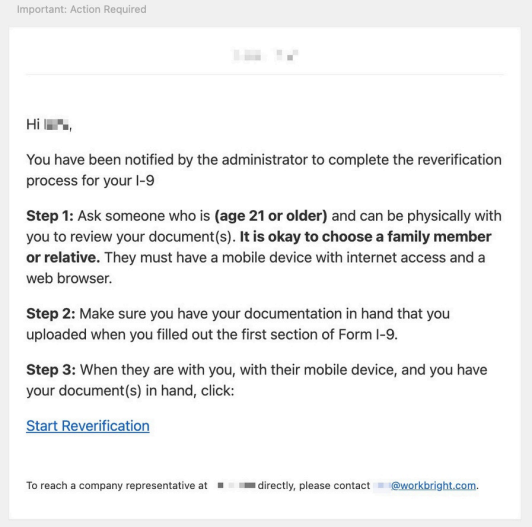
Remote Reverification Notification
Trigger: Admin selects Request Remote Reverify on Form I-9.
Recommended Timing:
- Immediately upon request
Purpose:
- Ensure continued I-9 compliance
Example:
Repeated Notifications
Repeated notifications are reminders based on deadlines or incomplete actions.
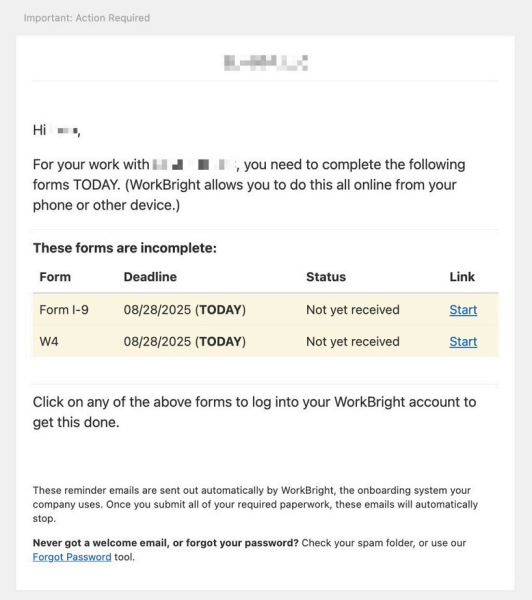
Form(s) Assigned / Due Notifications
Trigger Conditions:
- Form has a deadline, AND
- Staff has a Notification Start Date
Recommended Cadence:
| Timing | Send Notification |
|---|---|
| 10 days before due date | Yes |
| 5 days before due date | Yes |
| 2 days before due date | Yes |
| 1 day before due date | Yes |
| On due date | Yes |
Applies To:
- All required custom forms
- I-9 Section 1
Example:
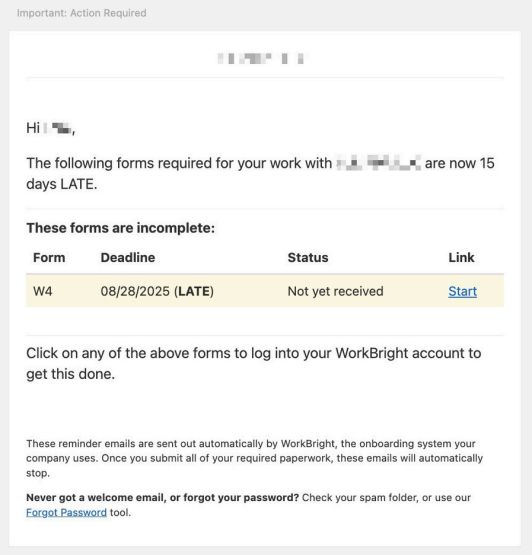
Form(s) Late Notifications
Trigger: Form deadline passes without submission.
Recommended Cadence:
| Timing | Send Notification |
|---|---|
| Day after deadline | Yes |
| Every 3 days after | Yes |
| Stop conditions | Form submitted, staff deactivated, form unassigned, or staff removed |
| Maximum duration | 30 days |
Example:
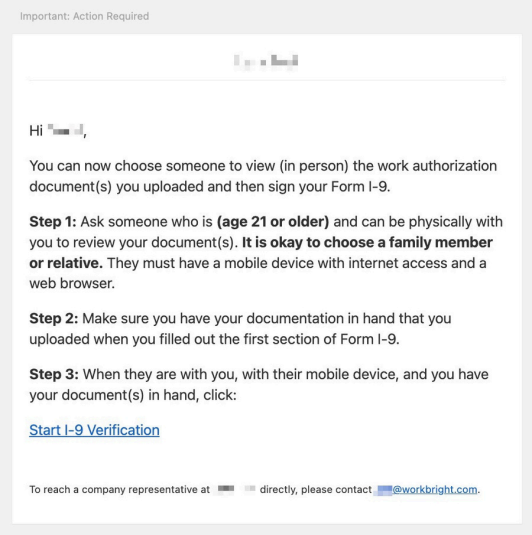
Remote I-9 Countersignature Notifications
Trigger: Remote I-9 enabled and Section 2 countersignature required.
If Start Date Exists:
| Timing | Send Notification |
|---|---|
| 10 days before start date | Yes |
| 5 days before start date | Yes |
| 2 days before start date | Yes |
| 1 day before start date | Yes |
| On start date | Yes |
| Daily after start date | Yes, up to 30 days or until complete |
If No Start Date Exists:
- Send daily for 30 days after Section 1 completion
Applies To:
- I-9 Section 2 countersignature only
Example:
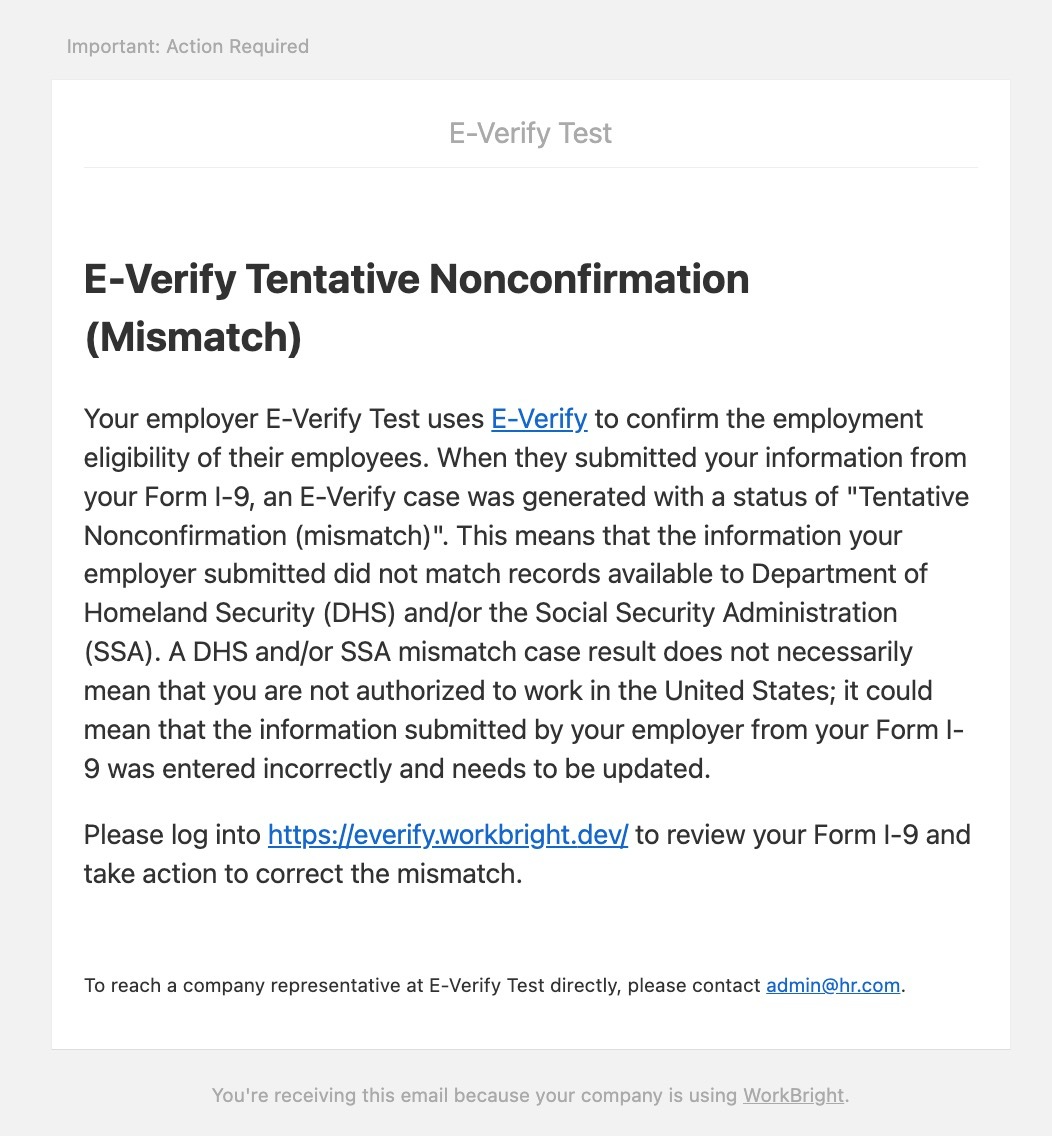
E-Verify TNC Notifications
Trigger: Tentative Nonconfirmation (TNC) issued.
Recommended Timing:
- Immediately upon issuance
Purpose:
- Ensure timely compliance and resolution
Example:
SSN Applied For Notifications
Trigger: Staff indicates SSN has been applied for but not yet received.
Recommended Cadence:
- Recommended weekly reminders
- Continue until SSN provided or resolved
Updated about 2 months ago